Help Center
Welcome to EduLink
A solution for CTE departments
EduLink helps CTE departments add and keep track of partners. It provides features for finding nearby partners, searching a database of partners, viewing statistics, and more.
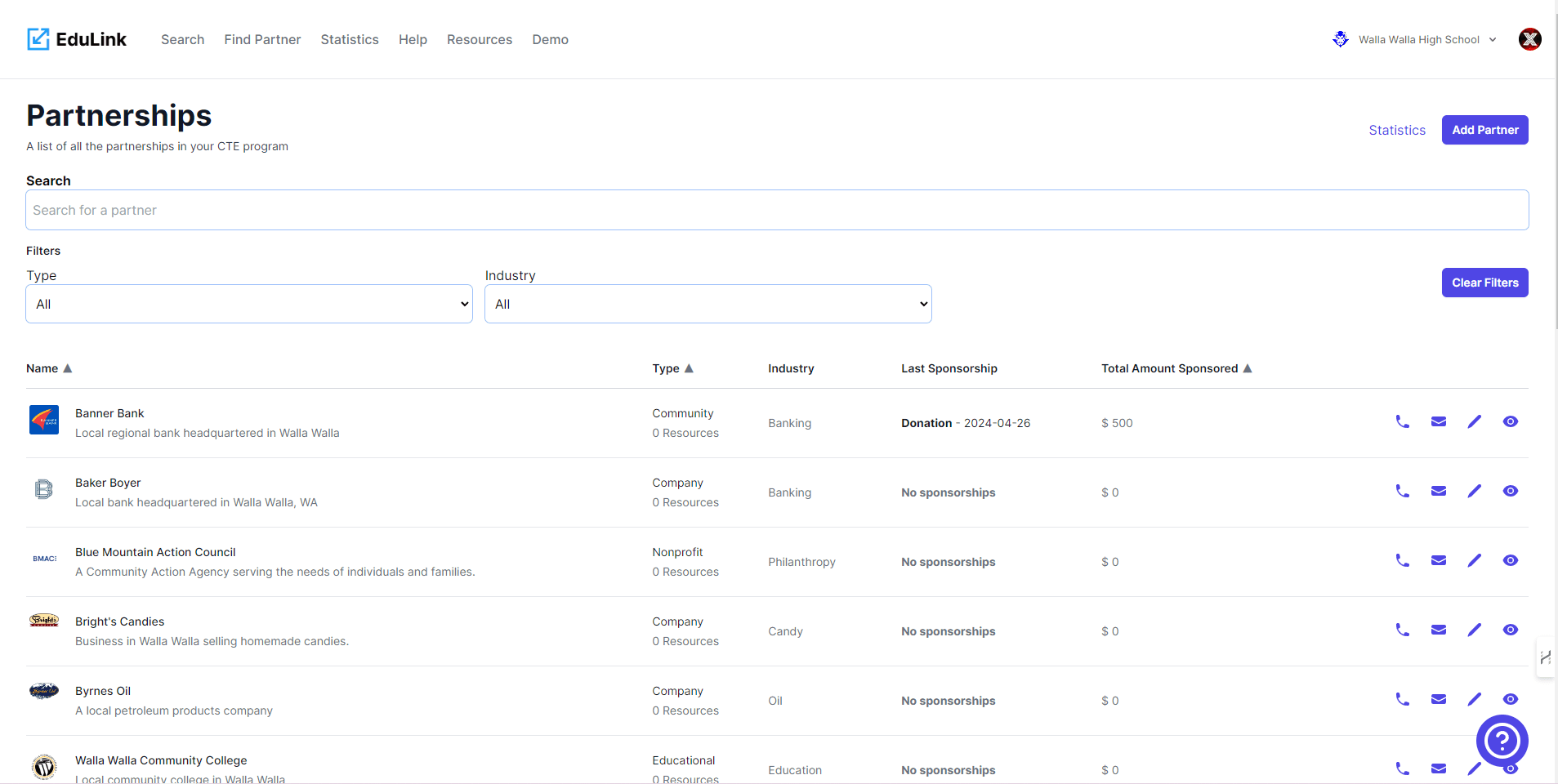
EduLink allows you to easily add new partners to the database, search for partners in your area, and view statistics about the partners. It streamlines the process of managing and collaborating with partners for CTE departments.
- Adding partners made easy. EduLink provides a user-friendly interface to add new partners to the database. Simply fill out the required information and click 'Submit'.
- Find partners near you. Easily search for partners in your area using the 'Find Partners' feature. Enter your location or use the 'Use Current Location' button to get started.
- View partner statistics. Get insights into your partner network with the 'Statistics' page. See the total number of partners, industries represented, and geographical distribution.
EduLink is designed to simplify the process of managing partners for CTE departments. It provides a comprehensive set of features to help you add, search, and analyze partner data.
No more manual tracking.
EduLink eliminates the need for manual tracking of partners. With its intuitive interface and powerful features, you can focus on building and maintaining strong partnerships without the hassle of paperwork and spreadsheets.
Frequently asked questions
Can't find the answer you're looking for? Reach out to our customer support team.
- How can I add a new partner to the database?
- To add a new partner, go to the 'Add Partner' page and fill out the required information such as name, contact details, and industry. Click the 'Submit' button to add the partner to the database.
- How do I search for partners in my area?
- To search for partners in your area, go to the 'Find Partners' page and enter your location or use the 'Use Current Location' button to automatically detect your location. The app will display a list of partners near you.
- Can I view statistics about the partners in the database?
- Yes, you can view statistics about the partners in the database. Go to the 'Statistics' page to see information such as the total number of partners, industries represented, and geographical distribution.
- How can I update the information of an existing partner?
- To update the information of an existing partner, go to the 'Edit Partner' page and search for the partner by name or ID. Once you find the partner, you can modify the desired information and click the 'Update' button to save the changes.
- What should I do if I forget my password?
- If you forget your password, you can click on the 'Forgot Password' link on the login page. Follow the instructions to reset your password. An email will be sent to your registered email address with further instructions.
- How can I contact the support team for assistance?
- To contact the support team for assistance, you can visit the 'Contact Us' page and fill out the contact form with your name, email, and message. The support team will get back to you as soon as possible.